
Are you using an Apple Silicon (M1, M2, etc.) machine?
While TotalFinder is compatible with Apple Silicon, this is not officially supported by BinaryAge.
As a result, Apple Silicon support in TotalFinder must be manually enabled. You can find more info on how to do so on this page.
TotalFinder is just a better Finder
TotalFinder works just like the normal Finder, but adds tabs, dual panel, colored labels and many other features.
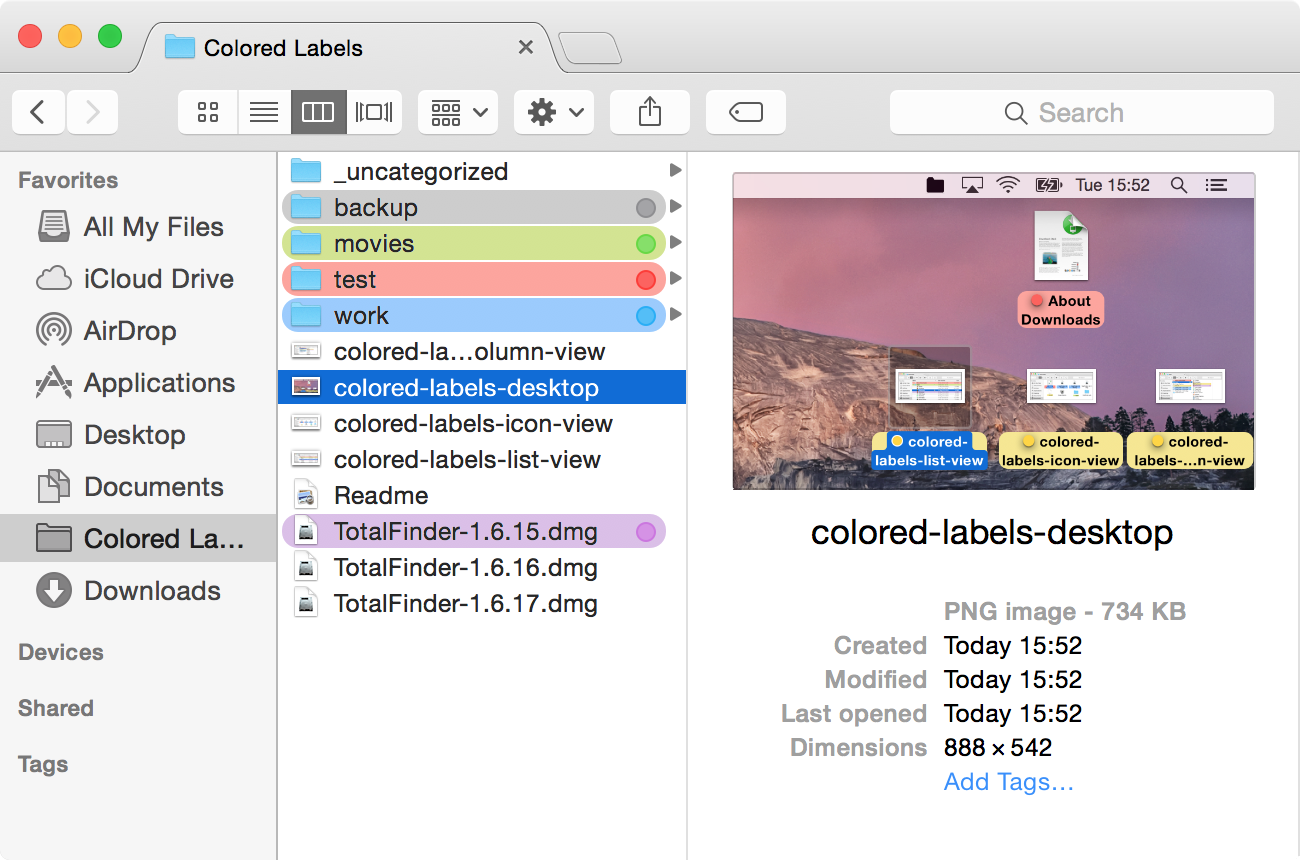
My goal is to improve Finder in a few areas where it is lacking, while keeping the same general design.
TotalFinder is a plugin, not a replacement
Please keep in mind that TotalFinder is an add-on which gets loaded into the Finder when you launch TotalFinder.app. It does not modify your Finder files on your disk.
TotalFinder is installed as a standalone application. When launched, it changes the current instance of Finder running in memory. In other words, TotalFinder performs code injection into Finder.
System updates from Apple
Due to the nature of how TotalFinder works, there is always a minor risk that TotalFinder might break with future Finder updates. Our entire team uses TotalFinder on a daily basis so we spot problems very quickly. So far, Finder updates have generally introduced minor changes. I am also a member of Apple’s Developer Program and have access to pre-release versions of system updates. I am committed to keeping TotalFinder compatible with Apple’s updates.
Please remember that if you ever experience any problem whatsoever, first check if you have running the latest version available. If yes, please report the issue on the forums or send us a support email. In the worst case, it is easy to uninstall TotalFinder and return to the stock, unmodified Finder.
How to restart Finder
The easiest way will probably be the Force Quit menu, which you can access via ⌘+⌥+esc:
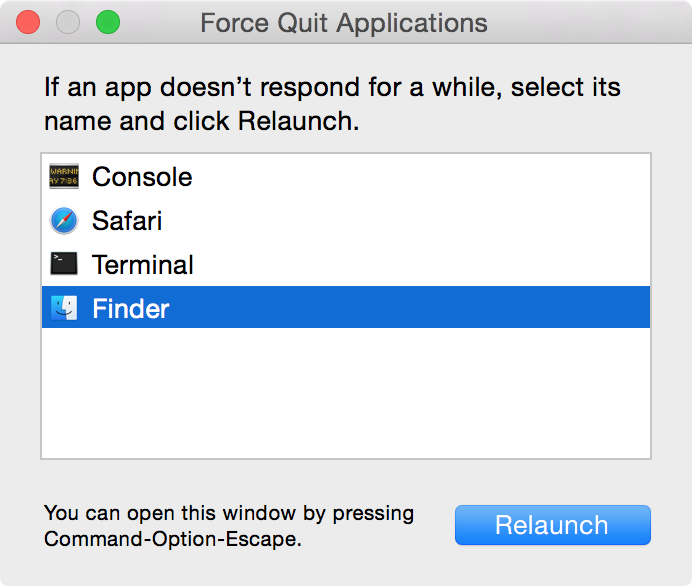
Alternatively, you can run this command in Terminal:
killall Finder
Killing Finder will restart Finder without injecting TotalFinder again. To reopen TotalFinder, simply launch TotalFinder.app in /Applications.
